

- September 29, 2026
- Posted by: Admin
- Category: Artificial Intelligence
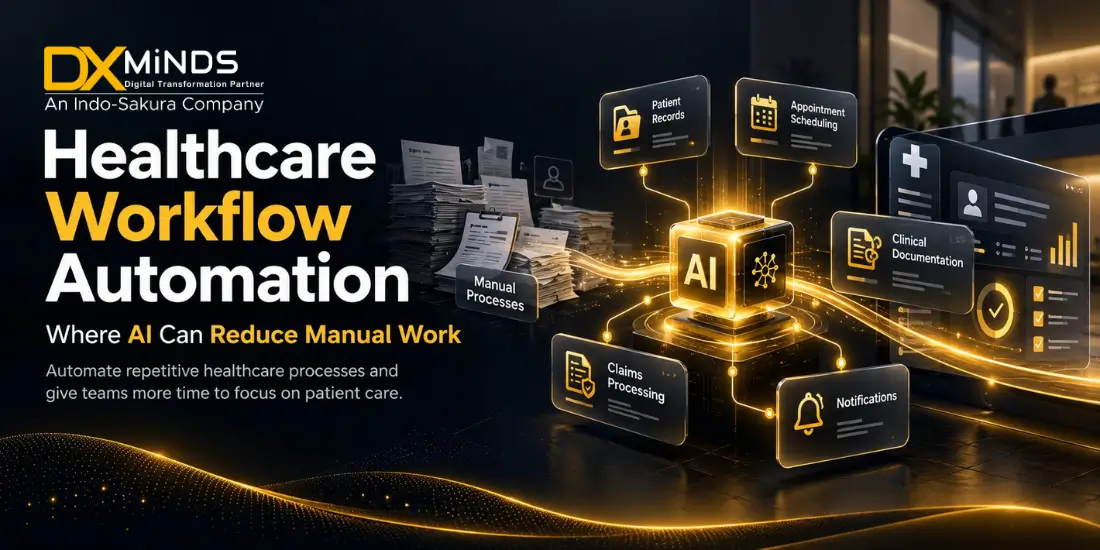
Healthcare organizations manage thousands of repetitive tasks every day, from appointment scheduling and patient registration to document processing, insurance verification, follow-up communication, and clinical administration. When these processes depend heavily on manual data entry, phone calls, spreadsheets, and disconnected systems, staff have less time for high-value patient and operational work.
Healthcare workflow automation uses software, artificial intelligence, integrations, and business rules to streamline repetitive processes. AI can classify documents, summarize information, route requests, assist with communication, identify missing data, and support staff decision-making.
The goal is not to replace healthcare professionals. It is to reduce avoidable administrative work, improve operational visibility, and help healthcare teams deliver a more consistent patient experience.
For hospitals, clinics, diagnostic providers, health-tech companies, insurers, and digital-health businesses, the most valuable opportunity is often not a futuristic autonomous system. It is the careful automation of high-volume, repetitive, measurable workflows that create delays and operational costs.
This guide explains where AI can reduce manual work in healthcare, which workflows are suitable for automation, how to implement healthcare automation software, and what organizations should consider when planning a healthcare AI project.
What Is Healthcare Workflow Automation?
Healthcare workflow automation is the use of software, artificial intelligence, integrations, and predefined rules to execute or coordinate routine healthcare processes with limited manual intervention.
A typical workflow may include:
- A patient submitting a request.
- A system validating or classifying the request.
- Information being retrieved from an approved source.
- A task being assigned to the right employee or department.
- A notification being sent.
- A staff member reviewing the output.
- The system recording the action for future reference.
Traditional automation generally follows fixed rules. For example, a system may send an appointment reminder 24 hours before a scheduled visit.
AI-powered healthcare workflow automation can handle more complex inputs, including:
- Free-text patient messages.
- Scanned documents.
- Clinical notes.
- Voice recordings.
- Emails.
- Insurance forms.
- Lab reports.
- Support requests.
- Unstructured internal documents.
AI may classify a request, extract relevant information, summarize a document, suggest a response, or identify the next workflow step. The solution should clearly define when the system can act automatically and when it must route the task to a human.
Traditional Automation vs. AI Automation
|
Capability |
Traditional automation |
AI-powered automation |
|
Input type |
Structured forms and predefined fields | Text, voice, documents, images, and structured data |
| Decision logic | Fixed rules |
Rules combined with machine learning or language models |
|
Typical use |
Appointment reminders | Patient message classification and response suggestions |
| Flexibility | Best for predictable processes |
Can handle variable information |
|
Implementation |
Usually easier to test | Requires validation, monitoring, and review |
| Example | Route a request by the selected department. |
Identify the department from a patient message. |
The best healthcare automation strategy often combines both approaches. Fixed rules provide consistency for predictable steps, while AI supports tasks involving language, documents, prioritization, or information retrieval.
Why Healthcare Organizations Need Automation
Healthcare teams operate under continuous pressure. Staff manage high patient volumes, fragmented systems, privacy requirements, and communication across multiple departments. Manual processes can create delays, errors, and unnecessary workload.
Administrative overload
Employees may spend a large part of their working day entering data, searching for information, copying details between systems, preparing routine communications, and checking status updates. These tasks are necessary, but many are repetitive and suitable for partial automation.
Delays in patient communication
Patients may wait for answers about appointments, documents, test preparation, referrals, billing, or follow-up instructions. Automated routing, notifications, and self-service tools can help organizations respond faster while routing complex requests to the right team.
Data-entry errors
Manual transcription creates the possibility of incorrect names, dates, codes, contact information, or appointment details. Workflow automation can validate fields, identify missing information, and reduce duplicate data entry.
Fragmented systems
Hospitals and clinics may use separate systems for electronic health records, scheduling, billing, laboratory operations, pharmacy, communication, and customer support. When these systems do not exchange information effectively, employees may need to perform the same task in multiple applications.
Limited operational visibility
Managers may not know where a request is delayed, how long a process takes, or which department is handling the highest workload. Healthcare automation software can provide status tracking, audit logs, dashboards, and performance reports.
Staff workload
Automation cannot solve every workforce challenge, but reducing repetitive administrative work can give staff more time for patient-facing activities, complex cases, and operational improvement.
Where AI Can Reduce Manual Work
AI is most useful when it supports repetitive tasks involving classification, extraction, summarization, communication, retrieval, and routing. The following areas offer practical opportunities for healthcare process automation.
1. Appointment Scheduling and Reminders
Appointment management is one of the most visible opportunities for hospital workflow automation and clinic process automation.
A healthcare organization may automate:
- Appointment requests.
- Availability checks.
- Rescheduling.
- Cancellation handling.
- Confirmation messages.
- Reminder notifications.
- Pre-visit instructions.
- Waitlist management.
- Follow-up appointment prompts.
- No-show communication.
An AI-enabled scheduling assistant can understand a patient’s request in natural language, identify the appointment type, check approved availability, and guide the patient through the next step. It can also route requests that require staff review, such as complex referrals or specialist scheduling.
Example workflow
- A patient sends a message requesting an appointment.
- The system identifies the requested service and preferred time.
- It checks availability through the scheduling platform.
- It presents approved appointment options.
- The patient confirms a slot.
- The system sends preparation instructions and reminders.
- A staff member receives an exception alert if the request cannot be resolved automatically.
Patient-facing systems should include clear escalation instructions for urgent or complex situations.
2. Patient Registration and Intake
Patient registration often requires information from forms, identity documents, referral letters, insurance records, and previous interactions.
AI can support:
- Form completion assistance.
- Document data extraction.
- Duplicate patient detection.
- Missing-field identification.
- Demographic information validation.
- Referral document classification.
- Pre-visit questionnaire processing.
- Intake reminders.
Optical character recognition and intelligent document processing can extract information from a referral document and populate approved fields for staff review. Instead of retyping every field, the registration team verifies the extracted data.
This approach combines productivity with control. Extracted information should be validated before it is added to or changes an official patient record.
3. Patient Communication and Support
Healthcare organizations receive repetitive questions about:
- Clinic hours.
- Appointment preparation.
- Directions.
- Payment options.
- Prescription collection.
- Test instructions.
- Referral status.
- Insurance documentation.
- Follow-up procedures.
- Portal access.
Healthcare chatbots and AI voice assistants can provide approved answers, collect basic information, and route complex issues to the right team.
A patient communication solution should:
- Clearly identify itself as an automated assistant.
- Use approved knowledge sources.
- Provide consistent information.
- Offer a human support option.
- Escalate sensitive requests.
- Protect personal information.
- Record relevant interactions.
- Avoid unsupported medical advice.
AI can improve access to information while allowing healthcare professionals to manage requests that require judgment or clinical expertise.
4. Referral Management
Referral workflows often involve multiple organizations, documents, approvals, scheduling steps, and follow-up actions. Delays can occur when documents are incomplete, referrals are sent to the wrong department, or no one owns the next step.
AI-powered referral automation can help with:
- Referral document classification.
- Specialty identification.
- Information extraction.
- Missing-document detection.
- Referral routing.
- Status notifications.
- Follow-up reminders.
- Referral queue management.
- Communication with referring providers.
Example
A referral document arrives by email or through a portal. The system identifies the patient, referring provider, specialty, requested service, and attached documents. If a required report is missing, it creates a task for the referral team. If the referral is complete, it routes the case to the appropriate scheduling queue.
Healthcare staff remain responsible for reviewing information and managing decisions that require professional judgment.
5. Medical Document Processing
Healthcare staff work with many unstructured documents, including:
- Lab reports.
- Referral letters.
- Discharge summaries.
- Insurance documents.
- Consent forms.
- Prior authorization records.
- Medical histories.
- Administrative correspondence.
Intelligent document processing combines optical character recognition, natural language processing, classification, and human review.
Potential capabilities include:
- Identifying document types.
- Extracting names, dates, identifiers, and reference numbers.
- Finding missing pages.
- Summarizing long documents.
- Routing documents to departments.
- Detecting duplicate uploads.
- Creating structured review queues.
- Linking information to an approved patient record.
This can reduce manual sorting and data-entry work. It can also improve turnaround time for referrals, claims, prior authorizations, and other document-heavy operations.
Patient matching should be carefully controlled. Similar names, incomplete identifiers, or ambiguous documents require verification before information is linked to a patient record.
6. Prior Authorization and Insurance Workflows
Prior authorization can involve collecting information, completing forms, submitting documents, tracking responses, and communicating with payers. Administrative teams often repeat similar steps across many cases.
Healthcare operations automation can assist with:
- Gathering required information.
- Identifying missing documents.
- Extracting data from approved records.
- Preparing draft forms.
- Tracking submission status.
- Creating follow-up reminders.
- Categorizing denials.
- Preparing information for authorized reviewers.
AI can summarize relevant information for a qualified reviewer, but the organization should define what the system is allowed to generate, submit, or recommend. Sensitive payer communications and authorization decisions require appropriate review.
7. Clinical Documentation Support
Clinical documentation can consume considerable time. AI tools may assist with:
- Transcribing approved conversations.
- Creating draft visit summaries.
- Organizing notes.
- Extracting key fields.
- Preparing discharge documentation drafts.
- Generating task lists.
- Summarizing patient history for review.
AI-generated content should be treated as a draft. A qualified healthcare professional should review, correct, and approve documentation before it becomes part of an official record.
Clinical documentation tools should make it easy to identify:
- Which information was generated.
- Which source content was used.
- What requires verification.
- Who approved the final note.
- When the note was changed.
8. Follow-Up and Care Coordination
Missed follow-ups can affect patient experience and operational continuity. Patient engagement automation can help teams manage:
- Post-discharge communication.
- Follow-up appointment reminders.
- Care-plan tasks.
- Referral completion.
- Patient-reported updates.
- Escalation of unanswered outreach.
- Care-team task assignments.
A patient engagement platform can send approved reminders through SMS, email, mobile applications, or voice calls. If a patient reports a concerning issue, the workflow should route the interaction according to the organization’s approved process.
9. Revenue Cycle and Billing Administration
AI can reduce manual work in revenue-cycle operations by supporting:
- Eligibility verification.
- Claim document preparation.
- Code-suggestion workflows.
- Missing-information detection.
- Payment-status inquiries.
- Denial categorization.
- Patient billing communication.
- Accounts-receivable prioritization.
Automation can identify patterns in rejected or delayed claims and help teams focus on priority cases. Human reviewers should remain involved in activities that require coding accuracy, policy interpretation, or sensitive patient communication.
10. Staff and Internal Operations
Not all healthcare workflow automation needs to be patient-facing. Internal operations can benefit from:
- Employee helpdesk assistants.
- Policy and procedure search.
- Training and onboarding support.
- Shift or task coordination.
- Equipment maintenance requests.
- Supply and inventory alerts.
- Incident-reporting workflows.
- Meeting and document summaries.
- IT service requests.
An internal healthcare knowledge assistant can help authorized staff find information from approved policies, standard operating procedures, and training materials. Access controls ensure that employees retrieve only information appropriate to their role.
11. Laboratory and Diagnostic Operations
Diagnostic providers may use automation for administrative and operational processes such as:
- Test-order intake.
- Specimen tracking.
- Result routing.
- Exception management.
- Patient notification workflows.
- Report distribution.
- Quality-control documentation.
- Equipment alerts.
AI can help identify incomplete orders or classify documents, while rule-based systems manage predictable routing. Clinical interpretation requires appropriate validation and professional oversight.
12. Patient Feedback and Service-Quality Analysis
Healthcare providers receive feedback through surveys, emails, reviews, call transcripts, and support tickets. Natural language processing can categorize feedback into themes such as:
- Scheduling delays.
- Communication problems.
- Billing confusion.
- Facility issues.
- Staff experience.
- Portal usability.
- Discharge concerns.
Leadership teams can use these insights to identify recurring operational problems and prioritize improvements. Patient feedback analysis should protect privacy and support human investigation of serious complaints.
Choosing the Right Workflow for Automation
Not every healthcare process should be automated first. A practical selection framework helps organizations prioritize opportunities.
Score each workflow against these criteria
|
Criterion |
Key question |
|
Volume |
How frequently does the process occur? |
|
Repetition |
Are the steps similar each time? |
| Manual effort |
How much staff time does it consume? |
| Error frequency |
Are data-entry or routing errors common? |
|
Business impact |
Would faster completion improve operations or experience? |
| Data availability |
Is the required information accessible and reliable? |
|
Process stability |
Are the rules and responsibilities clearly defined? |
| Workflow complexity |
How many systems and departments are involved? |
|
Human review |
Can an employee review exceptions and important outputs? |
| Measurement |
Can improvement be measured before and after automation? |
A high-volume, repetitive administrative process is often a practical starting point for healthcare AI development and automation.
Suitable starting workflows
- Appointment reminders.
- Frequently asked questions.
- Document classification.
- Internal knowledge search.
- Referral status notifications.
- Intake-form validation.
- Task routing.
- Follow-up reminders.
- Billing inquiry categorization.
More advanced workflows
- Clinical documentation support.
- Clinical decision support.
- Medical image analysis.
- Patient-specific recommendations.
- Automated triage.
- Clinical coding support.
These workflows require a clearly defined purpose, appropriate testing, professional oversight, and stronger governance.
How to Implement Healthcare Workflow Automation
1. Map the current process
Document every step, system, role, exception, and handoff. Ask:
- Who initiates the workflow?
- What information is required?
- Where does the information come from?
- Which systems are involved?
- Where do delays occur?
- What happens when information is missing?
- Which decisions require professional review?
- How is completion recorded?
Do not automate a process that the organization does not understand. Automation can make an unclear process faster without making it better.
2. Define the intended use
Write a clear statement describing:
- The users.
- The workflow.
- The input data.
- The output.
- The business purpose.
- The limitations.
- The human-review requirements.
- The prohibited uses.
- The escalation conditions.
For example:
The system classifies incoming referral documents and identifies missing administrative information for review by the referral team. It does not diagnose conditions, determine clinical eligibility, or make treatment decisions.
A precise intended use supports better design, testing, and communication.
3. Select the automation approach
Choose the simplest technology that solves the problem:
- Rule-based workflow automation.
- API integration.
- Robotic process automation.
- Optical character recognition.
- Natural language processing.
- Machine-learning classification.
- Generative AI.
- AI agents with controlled tools.
- Human-in-the-loop review.
Generative AI is not automatically the best option. A fixed rule or structured form may be more reliable for a predictable task.
4. Integrate with existing systems
Common integration points include:
- Electronic health records.
- Hospital information systems.
- Laboratory information systems.
- Practice-management systems.
- Pharmacy platforms.
- Insurance systems.
- CRM platforms.
- Patient portals.
- Mobile applications.
- Communication tools.
- Identity and access management systems.
Integration planning should address authentication, data mapping, error handling, system availability, audit logging, and recovery procedures.
5. Design human oversight
Human oversight should be specific and measurable. Define:
- Which outputs require review.
- Who reviews them.
- What reviewers must check.
- How corrections are recorded.
- When the system must escalate.
- How users can override automation.
- How incidents are reported.
- How performance is monitored.
The World Health Organization identifies autonomy, safety, transparency, accountability, inclusiveness, and sustainability as important principles for AI in health.
6. Test before deployment
Testing should use representative, de-identified, and appropriately governed data. Evaluate:
- Accuracy.
- Completeness.
- False positives.
- False negatives.
- Processing time.
- Performance across patient groups.
- Performance across document formats.
- Handling of ambiguous requests.
- Security and access controls.
- Failure and downtime behavior.
- User experience.
- Escalation quality.
Testing should include unusual but realistic cases, such as incomplete forms, multiple languages, unusual names, duplicate documents, and contradictory information.
7. Pilot in a controlled environment
Start with one department, workflow, or facility. Establish a baseline before deployment:
- Average processing time.
- Manual touches per case.
- Error rate.
- Backlog size.
- Staff workload.
- Patient response time.
- Escalation volume.
Compare results after implementation. A pilot should have defined success criteria and a process for improving the system before wider deployment.
Secure and Reliable Healthcare Workflow Automation
Healthcare organizations need automation solutions that improve efficiency while supporting secure data handling, reliable integrations, and consistent operations. DxMinds designs AI-powered healthcare solutions around each organization’s workflows, user roles, technology environment, and business objectives.
Our healthcare workflow automation services can support:
- AI-powered patient communication.
- Appointment scheduling and reminders.
- Intelligent document processing.
- Referral and follow-up automation.
- Healthcare chatbots and voice assistants.
- Patient engagement applications.
- Healthcare mobile app development.
- Enterprise healthcare system integrations.
- Workflow dashboards and operational reporting.
Our implementation approach includes workflow discovery, solution architecture, secure integration, user testing, performance monitoring, and continuous improvement. Human review can be included in workflows that require approval, professional judgment, or exception handling.
With the right automation strategy, healthcare providers can reduce repetitive administrative work, improve response times, increase operational visibility, and deliver a more consistent patient experience.
Measuring Automation Success
Healthcare workflow automation should be measured through operational, quality, experience, and governance metrics.
Operational metrics
- Average processing time.
- Number of manual steps.
- Percentage of tasks completed automatically.
- Backlog reduction.
- First-response time.
- Task completion rate.
- Number of system handoffs.
Quality metrics
- Data-entry error rate.
- Correct-routing rate.
- Document-extraction accuracy.
- Duplicate-record rate.
- Rework percentage.
- Escalation appropriateness.
- Failed-automation rate.
Patient and staff experience metrics
- Patient response time.
- Appointment completion rate.
- No-show rate.
- Patient satisfaction.
- Staff satisfaction.
- Time saved per employee.
- Number of unresolved requests.
Governance metrics
- Number of overrides.
- Number of workflow incidents.
- Access violations.
- Model performance by user group.
- Audit-log completeness.
- Time to resolve errors.
- Percentage of outputs reviewed.
Cost savings are useful, but they should not be the only measure. A successful system may also improve patient access, reduce staff workload, strengthen documentation, and provide more consistent service.
Common Implementation Considerations
Start with a clearly defined process
A well-documented workflow makes it easier to select the right automation technology, define responsibilities, and measure improvement.
Choose practical use cases
A focused administrative workflow can provide measurable value faster than a complex system that attempts to automate multiple clinical and operational processes at once.
Plan for exceptions
Healthcare processes include missing data, urgent requests, duplicate records, language differences, system outages, and unusual cases. Exception handling should be designed before implementation.
Involve frontline users
Reception teams, nurses, clinicians, billing staff, administrators, and patients understand workflow challenges that may not appear in process documents. Their feedback improves usability and adoption.
Provide training
Staff should understand what the system does, what it does not do, how to review outputs, and how to report issues. Clear training supports confidence and responsible use.
Monitor after launch
Performance can change as users, data sources, volumes, and workflows change. Ongoing monitoring helps identify opportunities for improvement and supports reliable operations.
Benefits of Healthcare Workflow Automation
When implemented thoughtfully, healthcare workflow automation can help organizations:
- Reduce repetitive administrative work.
- Improve patient response times.
- Streamline appointment management.
- Reduce manual data entry.
- Improve document and referral handling.
- Increase operational visibility.
- Support patient engagement.
- Improve coordination between departments.
- Scale services without adding the same level of administrative workload.
- Give staff more time for complex and patient-facing work.
The most effective solutions are designed around real operational needs rather than technology alone.
How DxMinds Can Help
A healthcare technology partner can help an organization move from an operational challenge to a measurable automation solution. DxMinds can support:
- Healthcare workflow discovery.
- AI use-case prioritization.
- Healthcare software development.
- Healthcare mobile application development.
- Patient engagement platforms.
- AI chatbot and voice-agent development.
- Intelligent document processing.
- Enterprise healthcare integrations.
- Workflow dashboards and reporting.
- Cloud and application modernization.
- Testing, deployment, and support.
When evaluating a healthcare software development partner, ask:
- Do they understand healthcare workflows?
- Can they explain the proposed solution clearly?
- How will the application integrate with existing systems?
- How will access and data be managed?
- Which workflow actions require review?
- How will the system handle exceptions?
- What metrics will determine success?
- Can the solution scale across departments and locations?
- What support is available after deployment?
The right development partner should discuss workflow design, integration, security, usability, measurement, and ongoing improvement—not only AI models or software features.
Conclusion
Healthcare workflow automation can reduce manual work across scheduling, patient intake, document processing, referrals, communication, billing, care coordination, and internal operations. The greatest value usually comes from automating repetitive, high-volume processes while allowing healthcare teams to manage complex cases and important decisions.
AI in healthcare should be implemented with a clear purpose, secure integrations, appropriate testing, professional oversight, measurable outcomes, and continuous improvement. The objective is not to automate everything. It is to create a more efficient, responsive, and reliable healthcare operation.
DxMinds helps organizations explore AI-powered healthcare solutions, healthcare mobile application development, patient engagement automation, intelligent document processing, and enterprise workflow modernization. The first step is to identify one workflow where manual effort, delays, or errors are measurable and design a practical automation pilot around it.
Planning to automate a healthcare workflow? Contact DxMinds to discuss your requirements and explore a secure, scalable AI-powered solution.
Frequently Asked Questions
1) What is healthcare workflow automation?
Healthcare workflow automation uses software, artificial intelligence, integrations, and predefined rules to streamline repetitive processes such as appointment scheduling, patient registration, document processing, referral management, billing, and patient communication.
2) How does AI reduce manual work in healthcare?
AI can classify documents, extract information, summarize records, identify missing data, route requests, answer approved patient questions, and trigger follow-up tasks. This reduces repetitive administrative work while allowing healthcare professionals to review important outputs.
3) Which healthcare workflows are best for automation?
The best starting points are high-volume, repetitive, and measurable processes, including appointment reminders, patient intake, document classification, referral tracking, patient FAQs, billing inquiry routing, and follow-up notifications.
4) Is AI-powered healthcare workflow automation secure?
It can be designed with encryption, role-based access, secure authentication, audit logs, data minimization, protected integrations, monitoring, and appropriate retention controls. Security depends on the complete solution architecture, implementation, vendors, and operating processes.
5) Does healthcare automation replace doctors or nurses?
No. Healthcare workflow automation is mainly designed to reduce repetitive administrative work and support healthcare teams. Clinical decisions and other high-impact activities should remain under qualified professional supervision.