
- September 17, 2026
- Posted by: Jhansi G
- Category: Software Development
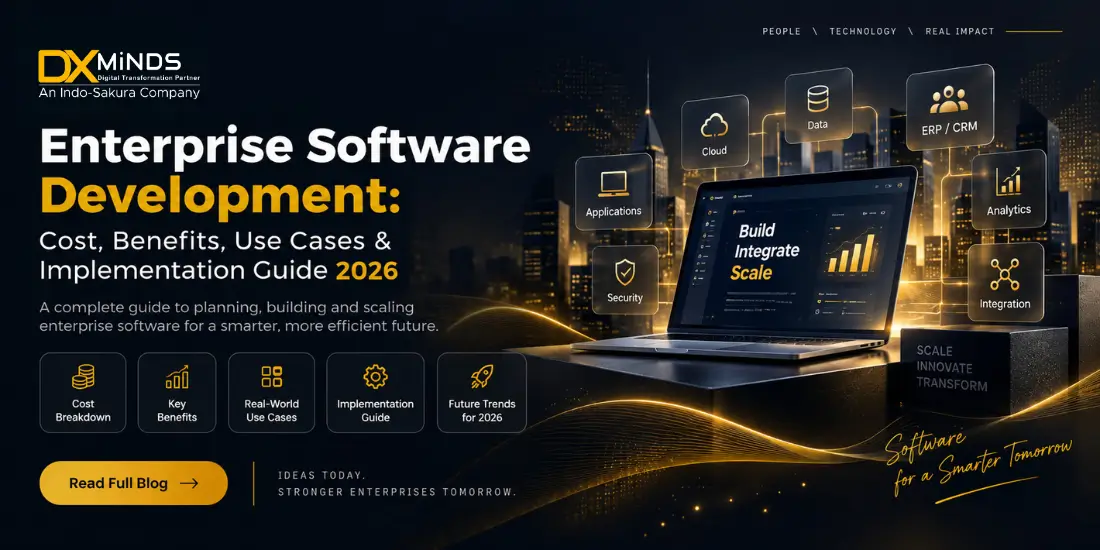
Enterprise software has become a core part of how modern organizations operate, manage data, serve customers, automate workflows, and make business decisions. As companies scale, disconnected tools and manual processes can make it difficult to maintain efficiency, visibility, security, and operational control.
Enterprise software development helps organizations build scalable digital solutions tailored to their specific business processes, users, data, and technology environment. From enterprise resource planning and customer relationship management to AI-powered automation, analytics, supply chain management, and custom business applications, enterprise software can connect critical operations through a unified technology ecosystem.
In 2026, businesses are also moving beyond traditional enterprise applications by incorporating artificial intelligence, automation, cloud computing, APIs, data analytics, cybersecurity, and intelligent workflows into their software strategies.
This guide explains what enterprise software development means, its benefits, common use cases, development costs, technologies, implementation process, challenges, and how businesses can select the right development partner.
What Is Enterprise Software Development?
Enterprise software development is the process of designing, developing, integrating, deploying, and maintaining software applications that support organizations’ complex operational and strategic requirements.
Unlike simple consumer applications, enterprise software is generally designed to support multiple departments, large numbers of users, extensive data, complex workflows, integrations, and strict security requirements.
Enterprise applications may be used by:
- Employees
- Managers
- Customers
- Vendors
- Partners
- Administrators
- Business executives
A custom enterprise software solution can connect different business functions through a centralized technology environment.
For example, a manufacturing company could use an enterprise platform to connect:
Procurement → Inventory → Production → Quality → Sales → Finance → Reporting
Similarly, a healthcare organization could connect:
Patient Management → Appointments → Medical Records → Billing → Staff → Analytics
The objective is not simply to build another application. The objective is to create a scalable technology system that supports measurable business outcomes.
Why Is Enterprise Software Development Important in 2026?
Businesses face increasingly complex operations, distributed teams, growing datasets, cybersecurity risks, and changing customer expectations.
Off-the-shelf applications can address common business requirements, but they may not always fit specialized workflows or legacy technology environments.
This is where custom enterprise software development becomes valuable.
A custom solution can be designed around the organization’s:
- Business processes
- Industry requirements
- Existing software
- Data architecture
- Security policies
- User roles
- Compliance requirements
- Growth plans
- Automation opportunities
Modern enterprise software is also becoming more intelligent.
Organizations are integrating:
- Generative AI
- AI agents
- Machine learning
- Predictive analytics
- Robotic process automation
- Intelligent document processing
- Conversational interfaces
- Real-time analytics
- Cloud infrastructure
This evolution is turning traditional enterprise applications into intelligent business platforms.
Key Benefits of Enterprise Software Development
Investing in enterprise software can provide benefits across operational, financial, customer-facing, and strategic functions.
1. Business Process Automation
Manual processes can consume significant employee time and introduce avoidable errors.
Enterprise applications can automate repetitive workflows such as:
- Data entry
- Approval processes
- Invoice processing
- Employee onboarding
- Inventory updates
- Customer notifications
- Report generation
- Document processing
Automation allows employees to focus on higher-value activities while improving process consistency.
2. Centralized Business Data
Many organizations operate with data distributed across spreadsheets, legacy applications, CRM systems, ERP platforms, email, and departmental databases.
Enterprise software can integrate these sources into a centralized ecosystem.
This can provide businesses with:
- Better data visibility
- Reduced duplication
- Improved reporting
- Faster decision-making
- Consistent information
- Better collaboration
A centralized data architecture also provides a stronger foundation for analytics and AI.
3. Improved Operational Efficiency
Custom enterprise software can eliminate unnecessary steps in business workflows.
For example, instead of employees manually transferring customer information between systems, an integrated platform can automatically synchronize the required data.
This can reduce:
- Manual work
- Processing time
- Data duplication
- Operational bottlenecks
- Human errors
The result is a more efficient operating environment.
4. Scalability
Enterprise applications need to support business growth.
A well-designed enterprise software architecture can accommodate:
- More users
- More transactions
- More locations
- More data
- Additional business modules
- New integrations
Scalability should be considered from the architecture stage rather than added as an afterthought.
5. Better Decision-Making
Enterprise applications can bring operational data into dashboards and analytics systems.
Business leaders can monitor:
- Revenue
- Customer activity
- Inventory
- Sales performance
- Employee productivity
- Operational costs
- Supply chain performance
- Business KPIs
When combined with AI and predictive analytics, enterprise systems can also help identify patterns and potential business risks.
6. Enhanced Security
Enterprise software often handles sensitive business and customer information.
Security can be incorporated through:
- Role-based access control
- Authentication
- Authorization
- Encryption
- Audit logging
- Secure APIs
- Data backup
- Monitoring
- Vulnerability testing
Security architecture should be planned from the beginning rather than treated as a final development step.
7. Integration With Existing Systems
Organizations rarely operate with a single software system.
A custom enterprise solution may need to integrate with:
- ERP
- CRM
- HRMS
- Accounting software
- Payment gateways
- Cloud services
- Legacy applications
- APIs
- Data warehouses
- Third-party SaaS platforms
API-based integration and middleware can help create a connected technology ecosystem.
Enterprise Software Development Use Cases
Enterprise software can support almost every major business function.
1. Enterprise Resource Planning
ERP platforms bring core business processes into a centralized system.
Common ERP modules include
- Finance
- Inventory
- Procurement
- Sales
- Manufacturing
- Human resources
- Supply chain
- Reporting
Organizations can also build custom ERP modules when standard platforms do not adequately address their requirements.
2. Customer Relationship Management
Enterprise CRM software helps organizations manage the complete customer lifecycle.
Features may include:
- Lead management
- Customer profiles
- Sales pipelines
- Communication history
- Campaign management
- Customer support
- Analytics
- Automated follow-ups
AI can further enhance CRM systems through lead scoring, customer segmentation, predictive insights, and conversational assistants.
3. Supply Chain Management
Supply chain operations often involve multiple suppliers, warehouses, logistics providers, and distribution channels.
Enterprise software can provide visibility into:
- Procurement
- Inventory
- Orders
- Warehousing
- Transportation
- Supplier management
- Demand forecasting
AI and predictive analytics can help organizations improve forecasting and identify potential supply chain issues.
4. Healthcare Enterprise Software
Healthcare organizations require secure systems for managing complex operations.
Enterprise healthcare applications can support:
- Patient management
- Appointment scheduling
- Electronic medical records
- Billing
- Pharmacy management
- Staff management
- Reporting
- Telehealth
Healthcare applications should be designed around applicable privacy, security, and regulatory requirements for the markets in which they operate.
5. Financial and Accounting Systems
Enterprise financial applications can automate and centralize:
- Accounts payable
- Accounts receivable
- Invoicing
- Expense management
- Financial reporting
- Budgeting
- Reconciliation
Integration with banking, payment, ERP, and accounting systems can improve financial visibility.
6. Human Resource Management
Enterprise HR software can support the employee lifecycle.
Common capabilities include:
- Recruitment
- Employee onboarding
- Attendance
- Leave management
- Payroll integration
- Performance management
- Employee self-service
- Workforce analytics
Automation can reduce repetitive administrative tasks for HR teams.
7. Business Intelligence and Analytics
Organizations generate enormous amounts of operational data.
Enterprise analytics platforms can transform this data into actionable insights through:
- Dashboards
- Reports
- Data visualization
- Predictive analytics
- KPI monitoring
- Trend analysis
AI-powered analytics can further help businesses identify patterns and anomalies.
8. Workflow Automation
Custom workflow software can automate processes that involve multiple departments or approval stages.
Examples include:
Request → Review → Approval → Processing → Notification → Reporting
This can be particularly useful for finance, HR, procurement, insurance, healthcare, and manufacturing organizations.
AI-Powered Enterprise Software Development
One of the most significant changes in enterprise software development is the integration of AI.
Businesses are increasingly exploring AI-powered enterprise applications for automation, decision support, customer service, and knowledge management.
AI capabilities can include:
Generative AI
Generative AI can assist employees with:
- Content generation
- Document summarization
- Knowledge retrieval
- Report creation
- Internal assistance
AI Agents
AI agents can perform multi-step tasks by interacting with enterprise systems and business tools.
Potential applications include:
- Customer support
- Employee assistance
- Sales operations
- IT support
- Workflow automation
- Research
- Document processing
Predictive Analytics
Machine learning can analyze historical and real-time data to support:
- Demand forecasting
- Customer churn prediction
- Fraud detection
- Sales forecasting
- Equipment maintenance
- Risk analysis
Intelligent Automation
AI combined with workflow automation can help organizations automate more complex processes that previously required human intervention.
This makes AI integration in enterprise software an important consideration for organizations planning new digital platforms.
How Much Does Enterprise Software Development Cost in 2026?
The enterprise software development cost can vary significantly depending on the project’s complexity, functionality, integrations, technology stack, security requirements, team structure, and development location.
There is no universal fixed price for an enterprise application.
A basic internal enterprise application may require significantly less investment than a large platform integrating multiple legacy systems, AI services, databases, mobile applications, and third-party systems.
Major factors affecting enterprise software development cost include:
- Number of features
- Number of users
- Application complexity
- UI/UX requirements
- Web and mobile platforms
- Backend architecture
- API integrations
- Legacy system integration
- Cloud infrastructure
- AI/ML capabilities
- Data migration
- Security requirements
- Compliance requirements
- Testing requirements
- Maintenance and support
Instead of estimating a project only by the number of screens or features, businesses should first define the required business outcomes, technical architecture, integrations, and scalability requirements.
What should a business budget for?
A proper software development assessment should consider the complete lifecycle:
Discovery → Design → Development → Testing → Deployment → Infrastructure → Maintenance → Enhancement
This provides a more realistic understanding of the total investment than looking only at initial development costs.
Enterprise Software Development Process
A structured development process helps reduce technical risks and ensures that the final product aligns with business requirements.
Step 1: Business and Requirement Analysis
The first stage is understanding:
- Business objectives
- Existing processes
- User requirements
- Pain points
- Technical limitations
- Integration requirements
- Security requirements
The output should be a clear functional and technical scope.
Step 2: Product Discovery and Planning
The development team identifies:
- Core features
- User roles
- User journeys
- Technology requirements
- Integration points
- MVP scope
- Future scalability requirements
Prioritizing features can help organizations validate business value before expanding the platform.
Step 3: UI/UX Design
Enterprise applications often contain complex workflows.
Good enterprise UX should make those workflows easier to understand and operate.
Design activities may include:
- User flows
- Wireframes
- Prototypes
- Design systems
- Responsive interfaces
- Usability testing
Step 4: Architecture Design
The technical architecture defines how the enterprise platform will operate.
Architecture decisions may include:
- Monolithic vs modular architecture
- Microservices
- Cloud infrastructure
- Database architecture
- API architecture
- Authentication
- Security
- Scalability
- Monitoring
The architecture should align with current requirements while allowing future expansion.
Step 5: Software Development
Developers build the application based on the approved requirements and architecture.
Development may include:
- Frontend development
- Backend development
- Database development
- API development
- Cloud integration
- Third-party integrations
- AI/ML integration
- Mobile application development
Agile development methodologies can help businesses review progress through iterative releases.
Step 6: Testing and Quality Assurance
Enterprise applications require comprehensive testing.
Testing may include:
- Functional testing
- Integration testing
- API testing
- Performance testing
- Security testing
- Usability testing
- Regression testing
- User acceptance testing
Testing should continue throughout development rather than being limited to the final stage.
Step 7: Deployment
Once the system has passed required testing, it can be deployed into the target environment.
Deployment may involve:
- Cloud infrastructure
- CI/CD pipelines
- Database migration
- Security configuration
- Monitoring
- Backup
- User access management
Step 8: Maintenance and Continuous Improvement
Enterprise software is not finished when it goes live.
Organizations may need ongoing:
- Security updates
- Performance optimization
- Bug fixes
- Feature enhancements
- Infrastructure management
- AI model updates
- Third-party integration updates
Continuous improvement helps the platform remain aligned with changing business requirements.
Custom Enterprise Software vs. Off-the-Shelf Software
Businesses often need to decide whether to purchase an existing software product or invest in custom enterprise software development.
|
Factor |
Off-the-Shelf Software | Custom Enterprise Software |
| Customization | Limited to available features |
Designed around business requirements |
|
Deployment |
Usually faster | Requires development time |
| Integrations | Depends on vendor |
Can be designed for required systems |
|
Scalability |
Vendor dependent | Architecture can be planned for growth |
| Ownership | Usually vendor controlled |
Greater control over solution |
|
Workflow |
Standardized | Business-specific |
|
Initial Investment |
Often lower | Usually higher |
| Long-Term Flexibility | Limited |
High |
Off-the-shelf software can be suitable when business requirements closely match the available product.
Custom development becomes more attractive when an organization has unique processes, complex integrations, specialized requirements, or strategic technology needs.
How to Choose an Enterprise Software Development Company
Choosing the right enterprise software development company is an important decision because enterprise applications often become critical components of business operations.
Before selecting a development partner, evaluate:
Technical Expertise
Look for experience across:
- Cloud
- APIs
- Databases
- AI/ML
- Cybersecurity
- Mobile
- Web applications
- Enterprise architecture
Industry Experience
A development partner should understand the business environment and regulatory requirements relevant to your industry.
Integration Capabilities
Ask about previous experience integrating:
- ERP systems
- CRM platforms
- Legacy applications
- Payment systems
- Cloud services
- Third-party APIs
Security Practices
Evaluate how the company approaches:
- Data protection
- Authentication
- Authorization
- Encryption
- Secure development
- Vulnerability testing
- Monitoring
Development Methodology
Understand how the team handles:
- Requirements
- Communication
- Sprint planning
- Testing
- Deployment
- Change requests
Post-Launch Support
Enterprise systems require long-term maintenance, so ask about:
- SLA
- Support
- Monitoring
- Security updates
- Performance optimization
- Future development
Common Challenges in Enterprise Software Development
Enterprise projects can be complex. Understanding common risks helps organizations prepare effectively.
Legacy System Integration
Older applications may use outdated technologies or incompatible data structures.
Solution: Use APIs, middleware, data transformation, and phased modernization strategies.
Data Migration
Moving large volumes of data can introduce quality and consistency issues.
Solution: Establish data mapping, validation, cleansing, backup, and migration testing processes.
Security Risks
Enterprise applications can become attractive targets for cyberattacks.
Solution: Apply security-by-design principles and conduct continuous security testing.
User Adoption
Even technically successful applications can fail if employees do not adopt them.
Solution: Involve users during discovery, conduct usability testing, provide training, and introduce the platform in phases.
Scope Creep
Enterprise projects can expand as new requirements emerge.
Solution: Establish a prioritized roadmap and clearly define MVP and future-phase requirements.
Future of Enterprise Software Development in 2026
Enterprise software is moving toward increasingly intelligent and connected systems.
Several technologies are expected to influence enterprise application strategies:
AI Agents
AI agents can automate multi-step workflows and interact with business systems.
Generative AI
Generative AI can improve knowledge management, employee productivity, customer engagement, and content workflows.
Cloud-Native Architecture
Cloud platforms provide organizations with scalable infrastructure and flexible deployment models.
API-First Development
APIs make it easier to connect enterprise applications and third-party services.
Intelligent Automation
Organizations can combine AI, workflow automation, and business rules to automate increasingly complex processes.
Real-Time Analytics
Real-time data processing can help businesses respond faster to operational changes.
Stronger Cybersecurity
As enterprise applications become more interconnected, security and identity management will remain critical components of software architecture.
Why Businesses Choose Custom Enterprise Software Development
A custom enterprise platform can provide organizations with greater control over their digital infrastructure.
Instead of forcing existing processes into a generic application, businesses can design technology around their actual workflows.
This approach can be particularly valuable for organizations that need:
- Complex workflow automation
- Multiple system integrations
- Industry-specific applications
- AI-powered capabilities
- Legacy modernization
- Advanced analytics
- Scalable cloud architecture
- Custom dashboards
- Mobile and web applications
The right solution should ultimately be measured by business outcomes—not simply by the number of features delivered.
Conclusion
Enterprise software development has evolved from building standalone business applications into creating connected, intelligent, and scalable digital ecosystems.
For organizations, the objective should not simply be to replace existing software. The right enterprise software strategy should address business challenges, improve operational efficiency, connect critical systems, strengthen data visibility, support scalability, and create opportunities for automation and innovation.
In 2026, businesses should also evaluate how AI, cloud computing, analytics, automation, and modern integration architectures can become part of their enterprise technology roadmap.
Whether you are planning a new enterprise application, modernizing a legacy platform, integrating multiple business systems, or adding AI capabilities to an existing solution, a structured development strategy can help reduce technical risks and maximize long-term business value.
DxMinds helps businesses design and develop custom enterprise software solutions aligned with their operational requirements, technology environment, scalability goals, and digital transformation strategy.
Planning an enterprise software project? Talk to the DxMinds team to discuss your requirements, technology roadmap, and development approach.
Frequently Asked Questions
1) What is enterprise software development?
Enterprise software development is the process of creating scalable software applications designed to support the operational, analytical, and strategic requirements of organizations.
2) How much does enterprise software development cost in 2026?
The cost depends on application complexity, features, integrations, security, technology, AI capabilities, infrastructure, and development requirements. A detailed discovery and technical assessment is recommended before estimating the project investment.
3) How long does enterprise software development take?
Development timelines vary based on project scope and complexity. A smaller enterprise application may be developed faster, while large platforms involving multiple integrations, data migration, AI, and complex workflows require longer development cycles.
4) What technologies are used for enterprise software development?
Enterprise projects can use technologies such as cloud platforms, modern frontend frameworks, backend technologies, databases, APIs, microservices, AI/ML, analytics, and DevOps tools. The appropriate stack depends on project requirements.
5) Should businesses build or buy enterprise software?
Businesses should compare their requirements, budget, customization needs, integrations, scalability, and long-term strategy. Off-the-shelf products can be suitable for standardized requirements, while custom development can be valuable for specialized workflows.
6) Can AI be integrated into enterprise software?
Yes. AI can be integrated into enterprise applications for automation, predictive analytics, document processing, knowledge management, conversational interfaces, recommendations, and AI-agent workflows.
7) How can enterprise software integrate with legacy systems?
Integration can be implemented using APIs, middleware, data synchronization, connectors, or phased modernization strategies, depending on the architecture of the existing systems.